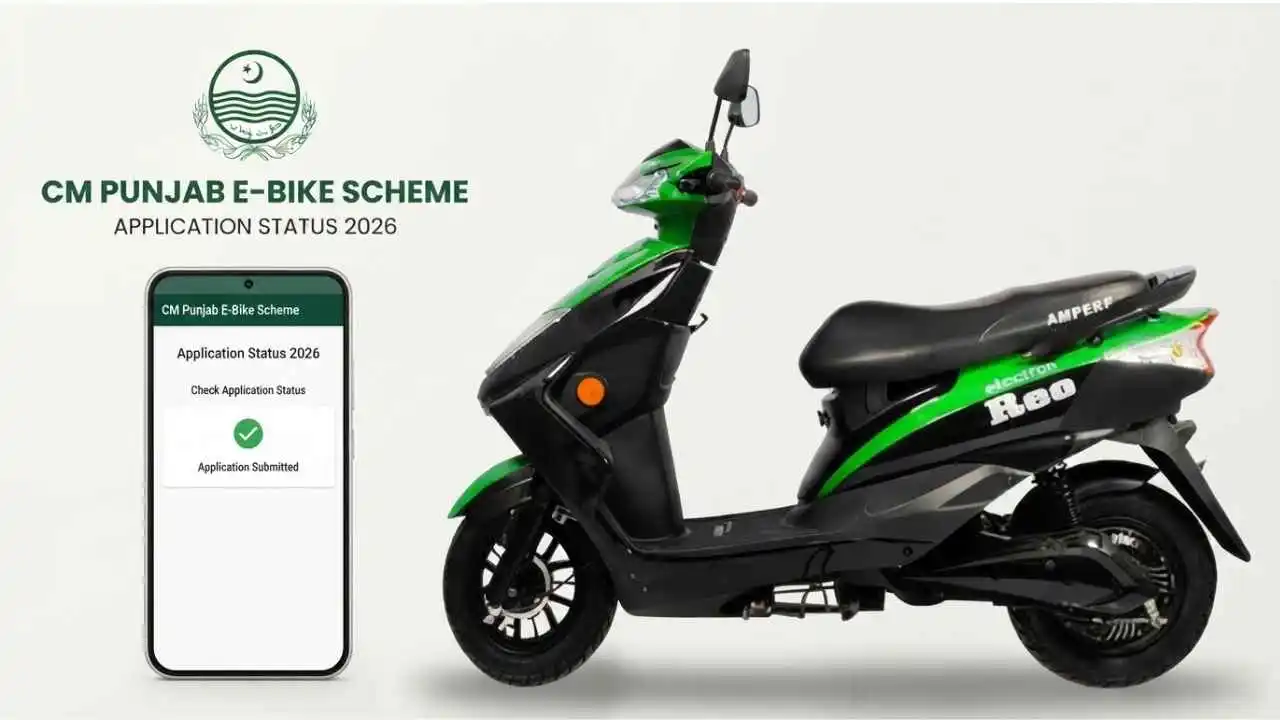
CM Punjab E-Bike Scheme Application Status 2026 can be checked through the official Punjab e-bike portal after submitting your application. Applicants can log in to their account and check the latest information related to their application.
The CM Punjab E-Bike Scheme status check helps applicants know whether their application has been submitted, is under verification, or requires further action.
If you are searching for Punjab e-bike application status 2026, e-bike scheme status by CNIC, or CM Punjab bike scheme application status, use your registered account on the official portal rather than an unofficial status-checking website.
CM Punjab E-Bike Scheme Application Status 2026
The Punjab government has expanded the electric bike scheme for eligible applicants in 2026. After completing the online application, applicants need to monitor their account for updates.
The official portal is the primary place to check your individual application. As of September 2026, there is no separate public Phase 2 page where applicants can simply enter their CNIC and view their complete application record. Applicants should log in to their account using their registered credentials.
Official E-Bike Scheme Portal: bikes.punjab.gov.pk
How to Check CM Punjab E-Bike Scheme Application Status
Applicants can check their CM Punjab E-Bike Scheme application status 2026 by following these steps:
Step 1: Open the Official E-Bike Portal
Open the official Punjab e-bike scheme website (bikes.punjab.gov.pk)
Always check that you are using the official government portal before entering your CNIC, password, or other personal information.
Step 2: Click the Login Option
Open the login section available on the portal.
You need to use the account that you created when submitting your e-bike scheme application.
Step 3: Enter Your CNIC
Enter the CNIC associated with your application.
Use the same CNIC that you provided during registration.
Step 4: Enter Your Password
Enter your registered account password.
If you cannot remember your password, use the password recovery option available on the official portal.
Step 5: Complete the Captcha
Enter the captcha displayed on the login page.
Make sure the captcha is entered correctly before submitting the login form.
Step 6: Open Your Applicant Account
After successful login, open your applicant dashboard.
Your available application information and any current instructions should appear in your account.
Step 7: Check Your Application Status
Look for the latest application update shown in your account.
The portal may provide information about the stage of your application, verification, documentation, or other required steps.
Can You Check E-Bike Scheme Status by CNIC?
Applicants often search for e-bike scheme status by CNIC because they want to check their application without logging in.
For Phase 2, applicants should not rely on websites claiming to provide a separate live government CNIC tracker. The available official process requires applicants to access their account on the Punjab e-bike portal.
Your CNIC is used as part of your account information, but you should not enter it on an unknown website simply because that website claims to show your e-bike result.
Punjab E-Bike Application Status 2026
Your Punjab e-bike application status 2026 indicates the current stage or information associated with your submitted application.
The exact wording displayed can depend on the application stage and portal updates.
Generally, applicants should pay attention to information related to:
- Application submission
- Documentation
- Eligibility verification
- Approval and financing
- Bike delivery
- Additional instructions from the portal
The official scheme portal describes the application process through these major stages.
CM Punjab E-Bike Application Status Stages
1. Application Submission
The first stage is submitting the online application.
Creating an account alone does not necessarily mean that the complete application has been submitted.
After logging in, check that your application form has been completed and submitted successfully.
2. Documentation
The next stage involves the required documentation.
Applicants should make sure that the information and documents submitted with the application are accurate.
If the portal asks for additional documentation, follow the instructions shown in your account.
3. Verification
During verification, applicant information and eligibility are checked.
This stage may take time because applications and supporting information need to be reviewed.
If your application is under verification, regularly check your account for any new instructions.
4. Approval and Financing
Eligible applications can proceed toward the approval and financing process.
The Bank of Punjab is involved as a financing partner in the scheme.
Applicants should follow the official instructions related to financing and any required formalities.
5. Bike Delivery
The final stage involves receiving the allocated bike after completing the required procedures.
Applicants should wait for official instructions instead of relying on messages or calls from unofficial individuals.
What Does “Under Verification” Mean?
If your application shows a verification-related status, it generally means that your submitted information is being checked.
This does not by itself mean that your bike has been finally allocated.
Continue checking your official account for the next update.
Do not pay anyone who claims they can speed up verification or guarantee selection.
What If My E-Bike Application Is Still Pending?
A pending or verification status does not necessarily mean that your application has been rejected.
Application processing can involve multiple stages.
If your application remains pending, first check whether the portal has displayed any additional instructions or document requirements.
If there is no action required from you, continue monitoring the official portal for further updates.
What If My Application Is Rejected?
If your application shows a rejection or unsuccessful status, carefully check the information provided by the official portal.
Possible reasons can relate to eligibility, documentation, verification, or other scheme requirements.
Do not assume that a message from an unofficial website or social media page represents the official decision.
The information displayed in your official applicant account should be treated as the relevant application record.
CM Punjab E-Bike Scheme Result 2026
The CM Punjab E-Bike Scheme result 2026 is different from simply registering an account.
Applicants should first make sure that their application has actually been submitted.
The Phase 1 scheme used an e-balloting process, with successful and waiting lists published through the portal. However, the Phase 2 selection method and result date should be confirmed through official announcements rather than unofficial claims.
Therefore, applicants should not treat social media posts claiming that the 2026 result has been announced as official unless the information is confirmed through the Punjab government or official e-bike portal.
Is CM Punjab E-Bike Scheme Phase 2 Result Announced?
As of the latest September 2026 information available, the Phase 2 result date had not been officially announced.
The official portal was still showing the application process, with October 4, 2026 listed as the application deadline at the time of the latest available update. Applicants should check the official portal because dates and instructions can change.
How to Check If Your E-Bike Application Was Submitted
If you are unsure whether your application was submitted, log in to your account on the official portal.
Then check your application dashboard.
Look for confirmation that the application has been submitted and check whether any section remains incomplete.
Remember that account registration and application submission are not necessarily the same thing.
An applicant who only created an account but did not complete and submit the application should not assume that their application is included in the selection process.
What to Do If You Cannot Login
Sometimes applicants cannot access their account because of an incorrect CNIC, password, or captcha.
Try the following:
- Enter the same CNIC used during registration.
- Enter the correct account password.
- Enter the latest captcha displayed on the screen.
- Use the official password recovery option if you forgot your password.
- Try again after checking your internet connection.
- Contact official support if the problem continues.
Do not give your password or OTP to another person claiming to be an e-bike scheme representative.
Forgot CM Punjab E-Bike Scheme Password
If you have forgotten your e-bike scheme password, use the Forgot Password option available through the official login system.
The password recovery process uses information associated with your registered account.
Avoid creating another account simply because you cannot remember your existing password.
Recover the original account first and then check your application status.
Is There an E-Bike Scheme Status Check Without Login?
Applicants may find websites offering a CM Punjab e-bike status check by CNIC without login.
However, applicants should be careful with these services.
A third-party website cannot automatically become the official source of your government application record. The latest available information indicates that Phase 2 applicants should check their application by logging into the official Punjab e-bike portal.
Never enter your password, OTP, or other sensitive account information into an unofficial status checker.
How to Check CM Punjab E-Bike Scheme Application Online
The online status-check process is straightforward:
Official portal → Login → Enter CNIC → Enter password → Complete captcha → Open account → Check application information
Applicants should use the official portal whenever checking their application.
This is especially important when checking selection, verification, financing, or delivery-related updates.
CM Punjab E-Bike Scheme Status Check for Students
Students who applied for the Punjab e-bike scheme can monitor their application through their registered account.
If your application is still being processed, check the account periodically.
If additional information or documentation is requested, follow the instructions shown by the official portal.
Students should also keep their registered email and mobile information accessible because official communication may be associated with the submitted application.
What Happens After Application Verification?
After verification, eligible applications can move to subsequent stages according to the scheme’s official process.
The next step may involve approval, financing formalities, selection procedures, or other requirements depending on the applicable phase.
Applicants should not consider a verification status as a final guarantee of bike allocation.
The final status and instructions should always be checked through the official system.
CM Punjab E-Bike Scheme Application Status: Important Information
Keep these points in mind when checking your application:
- Use the official Punjab e-bike portal.
- Use the CNIC associated with your application.
- Keep your login details secure.
- Check whether your application was actually submitted.
- Read every message displayed in your applicant account.
- Complete any requested documentation.
- Check official announcements for result updates.
- Do not pay anyone for a guaranteed selection.
- Never share your OTP or password.
- Avoid unofficial websites claiming to have private government records.
Official CM Punjab E-Bike Scheme Portal
Applicants should use the official Punjab e-bike portal for application login and status updates:
Official CM Punjab E-Bike Scheme Portal
The portal is the appropriate place to check your individual application rather than relying on third-party status-checking websites.
FAQs
How can I check CM Punjab E-Bike Scheme application status 2026?
Log in to your account through the official Punjab e-bike portal using your registered CNIC, password, and captcha. Then check the application information displayed in your account.
Can I check Punjab e-bike status by CNIC?
Your CNIC is used for your registered account, but Phase 2 applicants should not rely on an unofficial public CNIC tracker. Use the official portal login to access your application.
What is the official website for the CM Punjab E-Bike Scheme?
The official e-bike portal is bikes.punjab.gov.pk. Applicants should use this website to access their application account.
How do I check my e-bike application after submitting it?
Log in to the official portal and open your applicant account. Check the application section for the latest status, instructions, or verification information.
What does e-bike application verification mean?
Verification means the information submitted with the application is being checked. Applicants should monitor their account for further instructions.
What if my e-bike application is still pending?
Check your official account for any requested action or missing documentation. If no action is required, continue checking for the next official update.
Is the CM Punjab E-Bike Scheme result 2026 announced?
The latest available September 2026 information did not provide an officially announced Phase 2 result date. Applicants should rely on the official portal and Punjab government announcements for the result.
Can someone guarantee my e-bike selection?
Applicants should be cautious of anyone claiming they can guarantee selection for money. Application status and selection should be determined through the official scheme process.
Is checking the e-bike application status free?
Checking your application through the official portal does not require paying someone to access your account. Never pay an individual who claims they can change or improve your application status.
What should I do after checking my application status?
Follow the latest instructions shown in your official account. If documents or additional information are requested, provide them through the official process.

I’m a freelance content writer with hands-on experience. I specialize in topics like online earning, finance, and digital growth, sharing practical insights, real strategies, and up-to-date information. My goal is to create helpful, trustworthy content that people actually benefit from.


